
chipKIT® Development Platform
Inspired by Arduino™
- Get Started
- Learning
- Products
- Blog
- Beginner
For first time users of chipKIT modules. - Intermediate
For users who have a moderate exposure with chipKIT modules. - Advanced
For users who are experts with chipKIT modules. - Developers
- About Us
- Support
chipKIT Digital Light Meter
Embedded Lab has put together a useful tutorial to build a digital light meter using the chipKIT Uno32 board, the chipKIT Basic I/O Shield and the BH1750 digital light sensor. Light meters are used to measure the intensity of illumination in a given area. They are widely used in schools, warehouses, factories, hospitals, office buildings, museums, art-galleries, parking garages, stadiums, and many more, to measure and maintain proper lighting levels.
For all the details, please [visit the post on Embedded
Read more -->chipKIT Digital Stopwatch
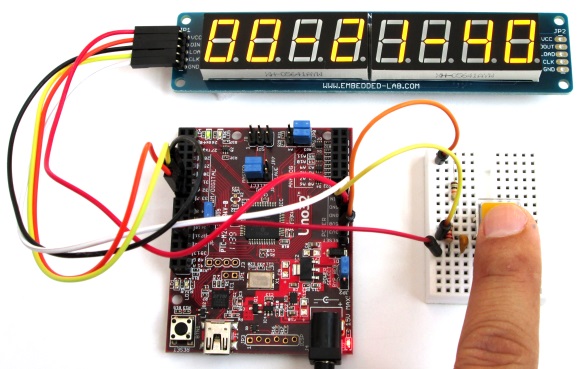
Embedded Lab has put together a useful tutorial to build a digital stopwatch using the chipKIT Uno32 board and a MAX7219-driven 8-digit seven segment LED display.
For all the details, please visit the post on Embedded Lab.
chipKIT Max32 Modification for 5V Operation
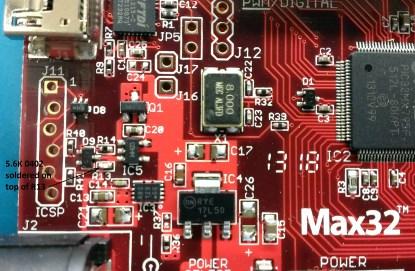
OK, so the title of this post is a bit misleading, since the chipKIT Max32 already includes a fairly sophisticated power supply. It has both 3.3V and 5V regulators on board, auto-switches away from USB power when an external supply is connected, and can be jumpered for an external regulated supply. Turns out there is one use case that is not handled automatically: When an external regulated 5V supply and a USB cable are connected at the same time, the auto-switch is inhibited.
EE Times editor Max Maxfield explores a scenario in which multiple
Read more -->chipKIT Max32 and LED Strips
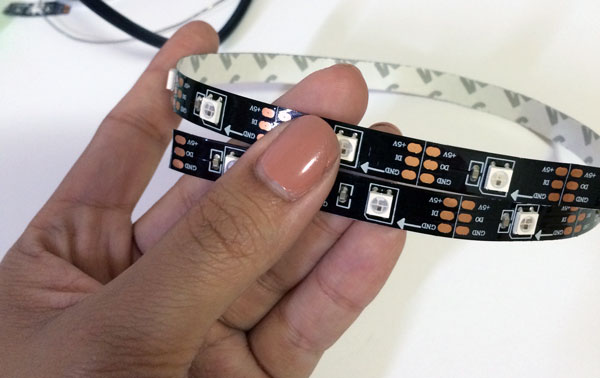
Ever wanted to integrate LED Strips into your chipKIT design? We have just the guide for you! Instructables.com has a new post about how you can do just that with a chipKIT Max32, WS2812 LEDs, and a WS2812 library for MPIDE with example code. Click the image below to see the post!
Fubarino and Arduino in Microcontroller Systems Class
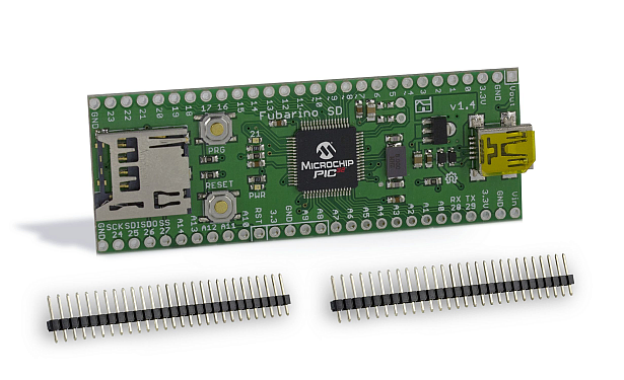
This past Spring at Mt. San Antonio College in Walnut, CA, Jacob Christ taught ELEC74 (Microcontroller Systems) using a Fubarino SD. To see an example of one of the class labs, click the link below:
Fubarino SD as a light meter using a CdS cell
For the student project, most students continued to use Fubarino, but some of them instead chose to use Arduino. The main reasons for choosing to use Arduino vs. Fubarino in the class were as follows:
Read more -->