
chipKIT® Development Platform
Inspired by Arduino™
- Get Started
- Learning
- Products
- Blog
- Beginner
For first time users of chipKIT modules. - Intermediate
For users who have a moderate exposure with chipKIT modules. - Advanced
For users who are experts with chipKIT modules. - Developers
- About Us
- Support
Send Local Temp from chipKIT and Raspberry Pi to Exosite Cloud
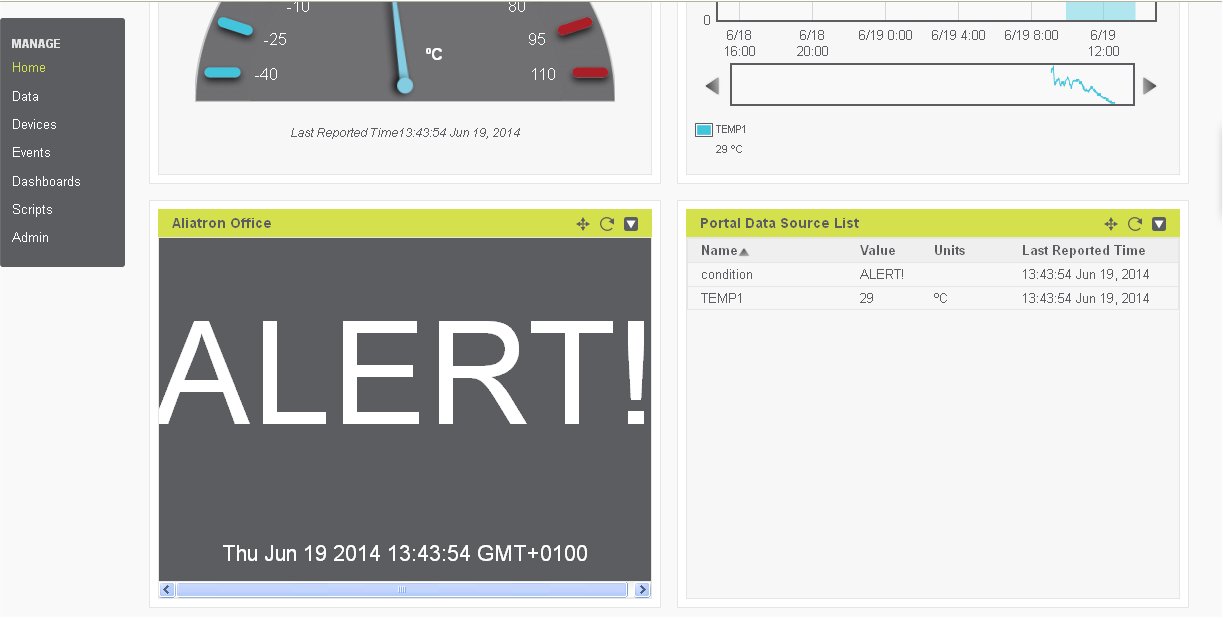
The tutorial we're sharing today is a follow-on post to the Local Temp with chipKIT and Raspberry Pi post, and is an example of how you can take the previous tutorial to the next level.
So, you've collected the temperature data via the chipKIT uC32 and the
Read more -->Cheap Robots chipKIT Line-Following Robot
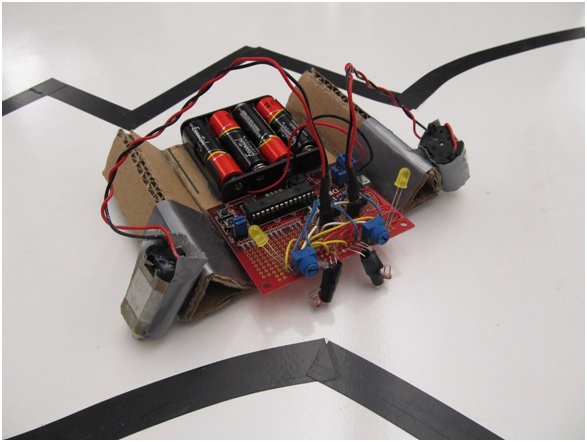
In a previous post, you may have seen Marc's version of a line-following robot using a chipKIT Uno32 and an Arduino Motor Shield (among other things), but if you haven't had enough of robots or you're new to robotics, check out this other line-following robot by Jay from Digilent using a [chipKIT
Read more -->Local Temp with chipKIT and Raspberry Pi
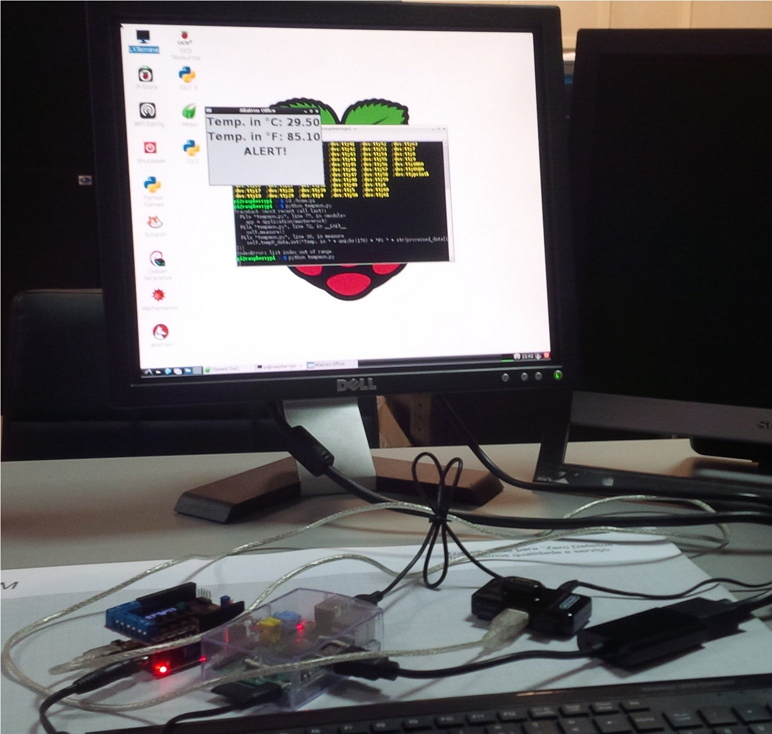
The tutorial we're sharing today shows you how to take temperature readings via chipKIT uC32 (or Uno32) and the Basic I/O Shield, and send this information to Raspberry Pi, where the sky is the limit with the things you can do. In this particular example, you can display the temperature readings in the GUI via a Python script.
Read more -->chipKIT WF32 Pin Diagram
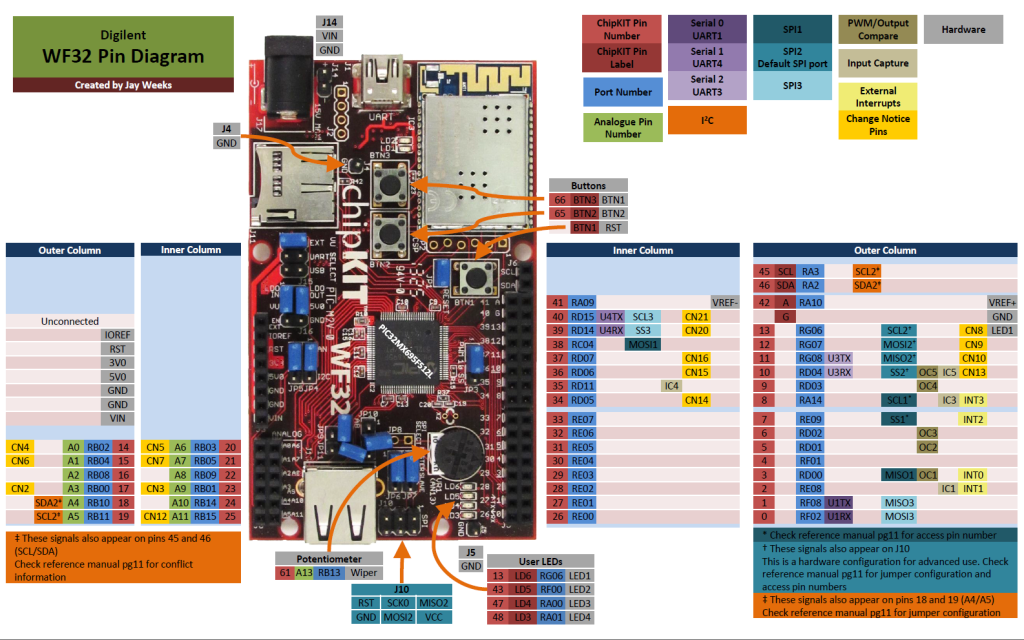
Thanks to Jay at Digilent, the chipKIT WF32 now has an awesome and very useful pin diagram. Note that this diagram is no match for the WF32 Reference Manual; however, used in combination, these two files make getting to know your WF32 board a snap! In addition, two other documentation-type resources that provide even more details about your board include the board definition file and the schematic for each board. Check out [Digilent's
Read more -->chipKIT Board Definitions
If you have ever wondered why some example sketches "know" what PIN_LED1 means, then you'll be glad to know that it's not magic. PIN_LED1 is an example of a shortcut in the board definition file, a file for each board that contains detailed information about the pins on each board. Check out Jay's Instructable for how to find and use the board definition files on Mac OS X and Windows.
Read more -->